Skip to content

How Noteable works

One session. A record that keeps working.

Plan sessions, turn what happened into a note you review, and keep client context and records ready for you and your team.

Try Noteable free

14 days free. No card required. You review every note.

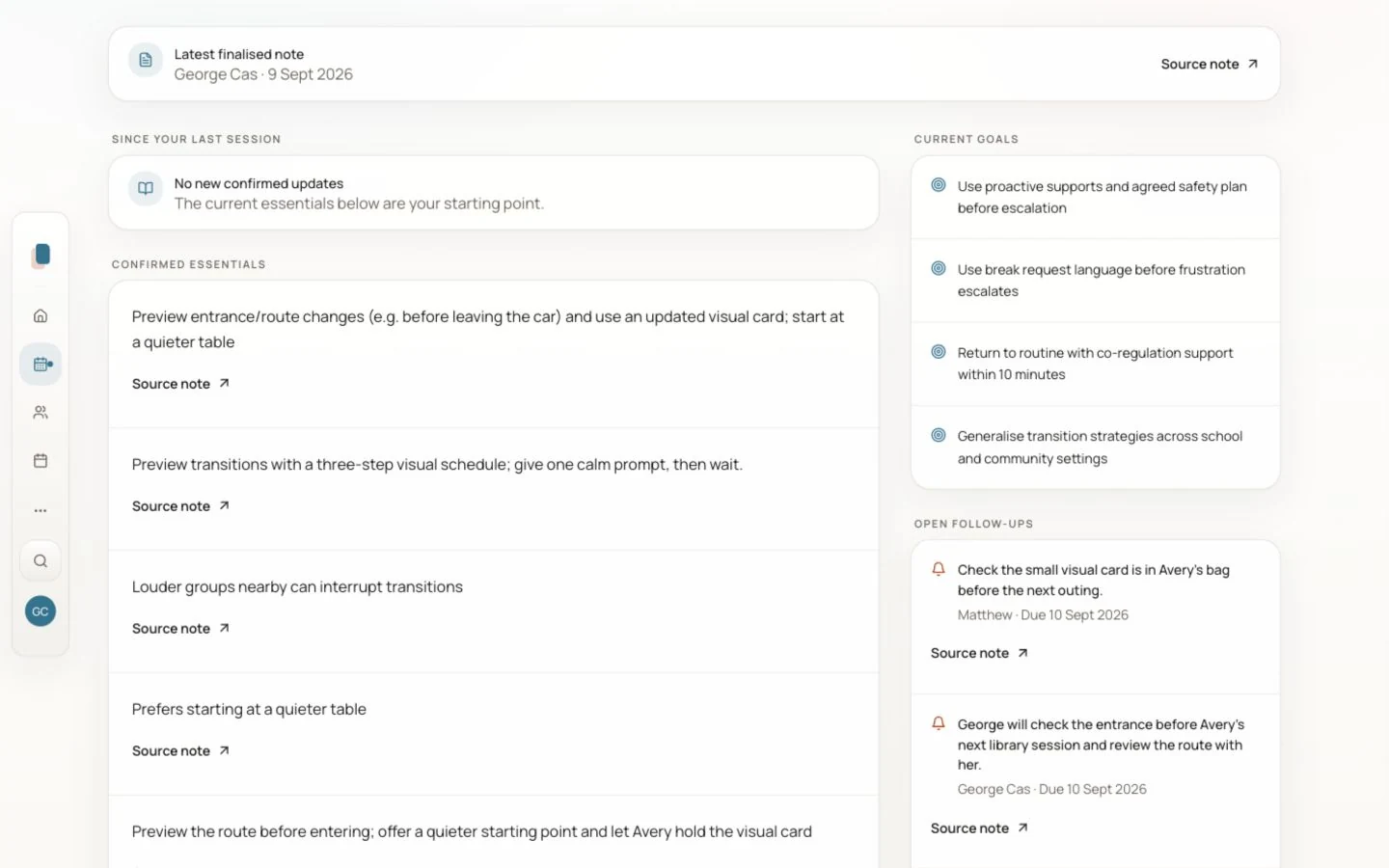
Client home with current context, what to know, and recent pattern before the next session
Client context in Noteable. Fictional demonstration. Select the image to view full size.

01 · Finish today

Finish today’s note while the details are still fresh.

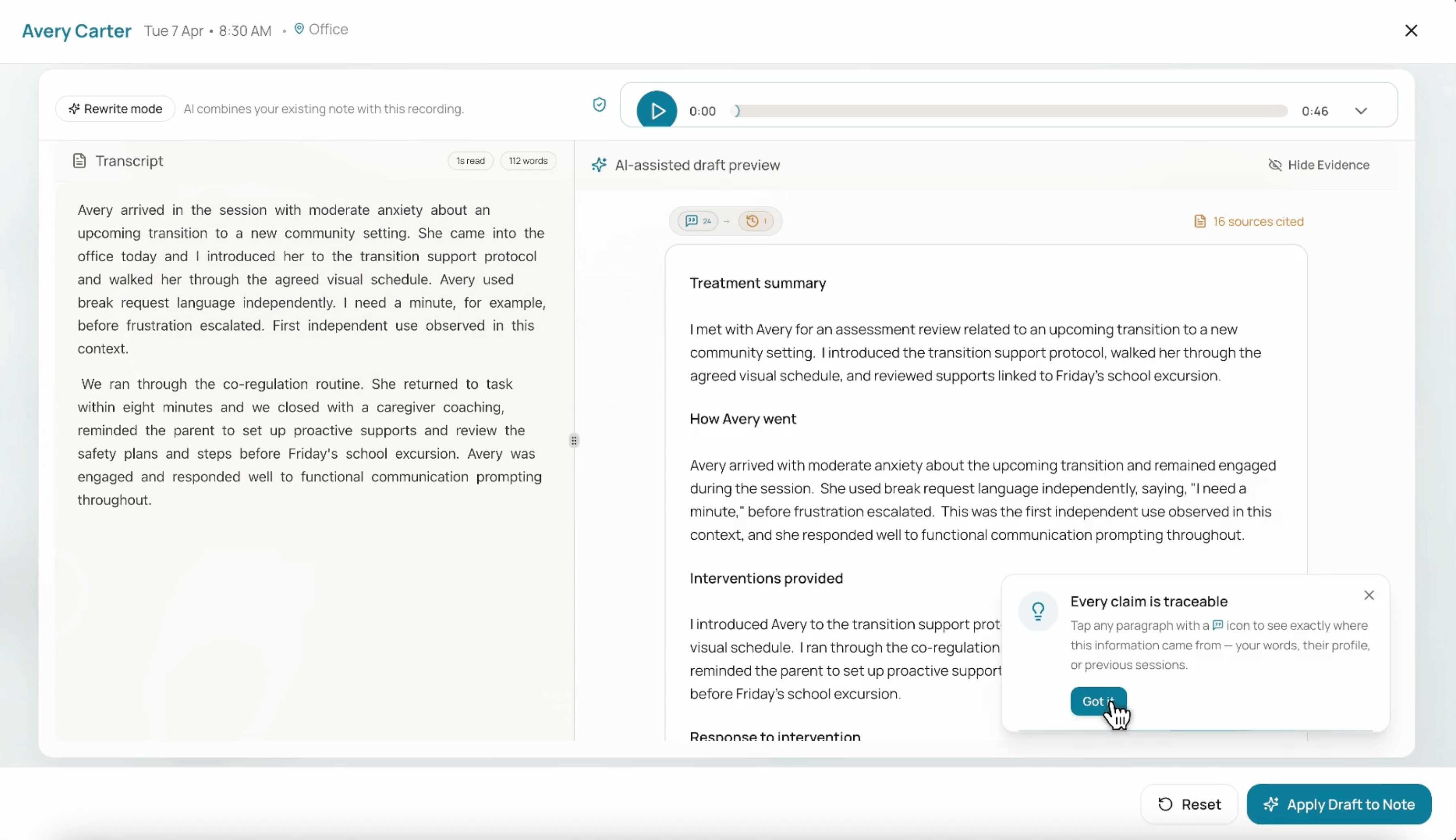
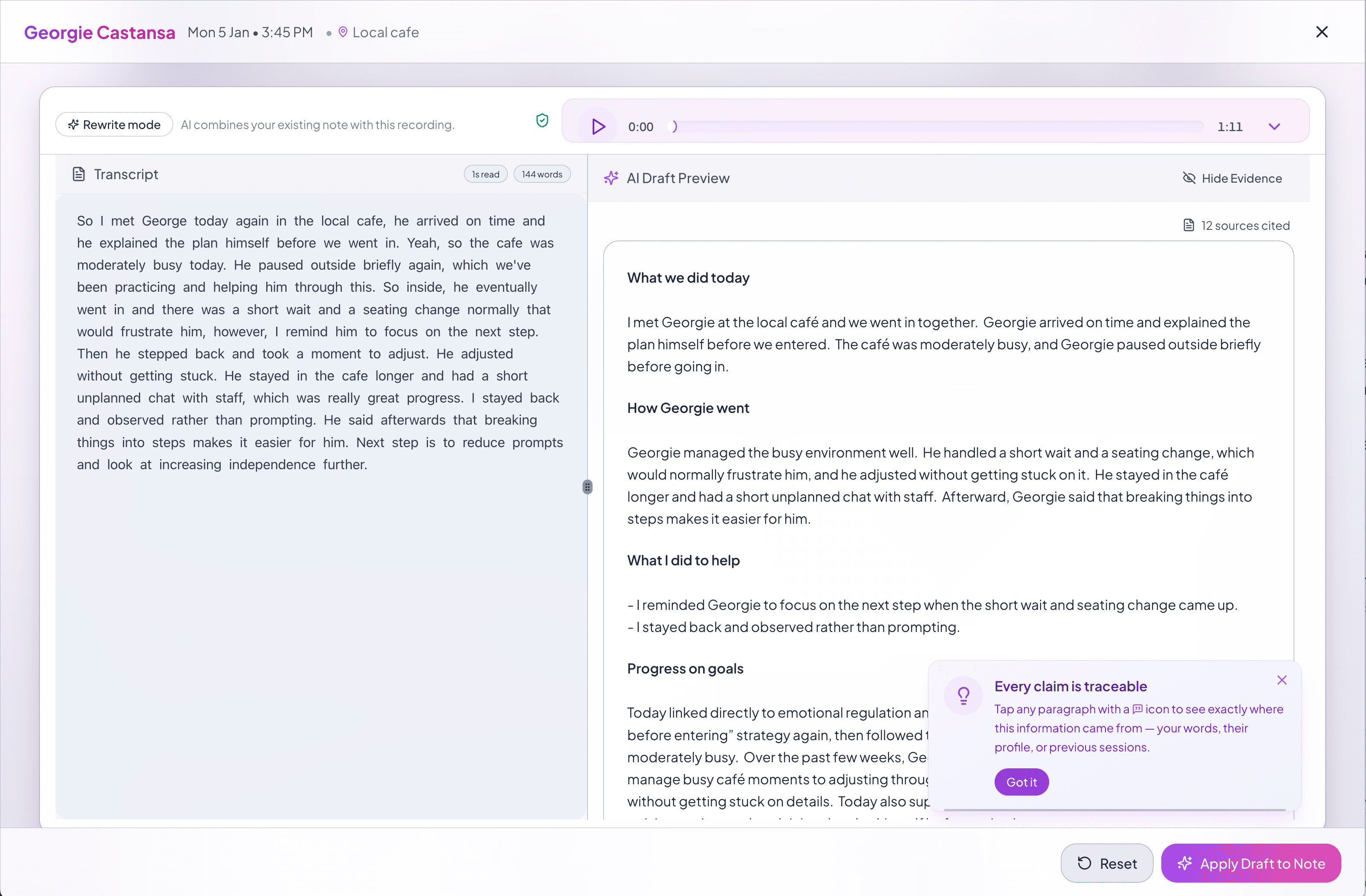
Speak or type what happened, then review a structured draft instead of starting from a blank page tonight.
See session notes

Transcript beside an AI-assisted session draft with source citations
A follow-on Noteable capture view sitting with the structured session record

02 · Start ready

The next session shouldn't start from zero.

Review and confirm useful details from session notes. Keep what worked, what changed, goals and follow-ups together. Open linked source notes where you have access.

See client memory

Client home with current context, what to know, and recent pattern before the next session

03 · Stand behind it

When someone asks what happened, the record should answer.

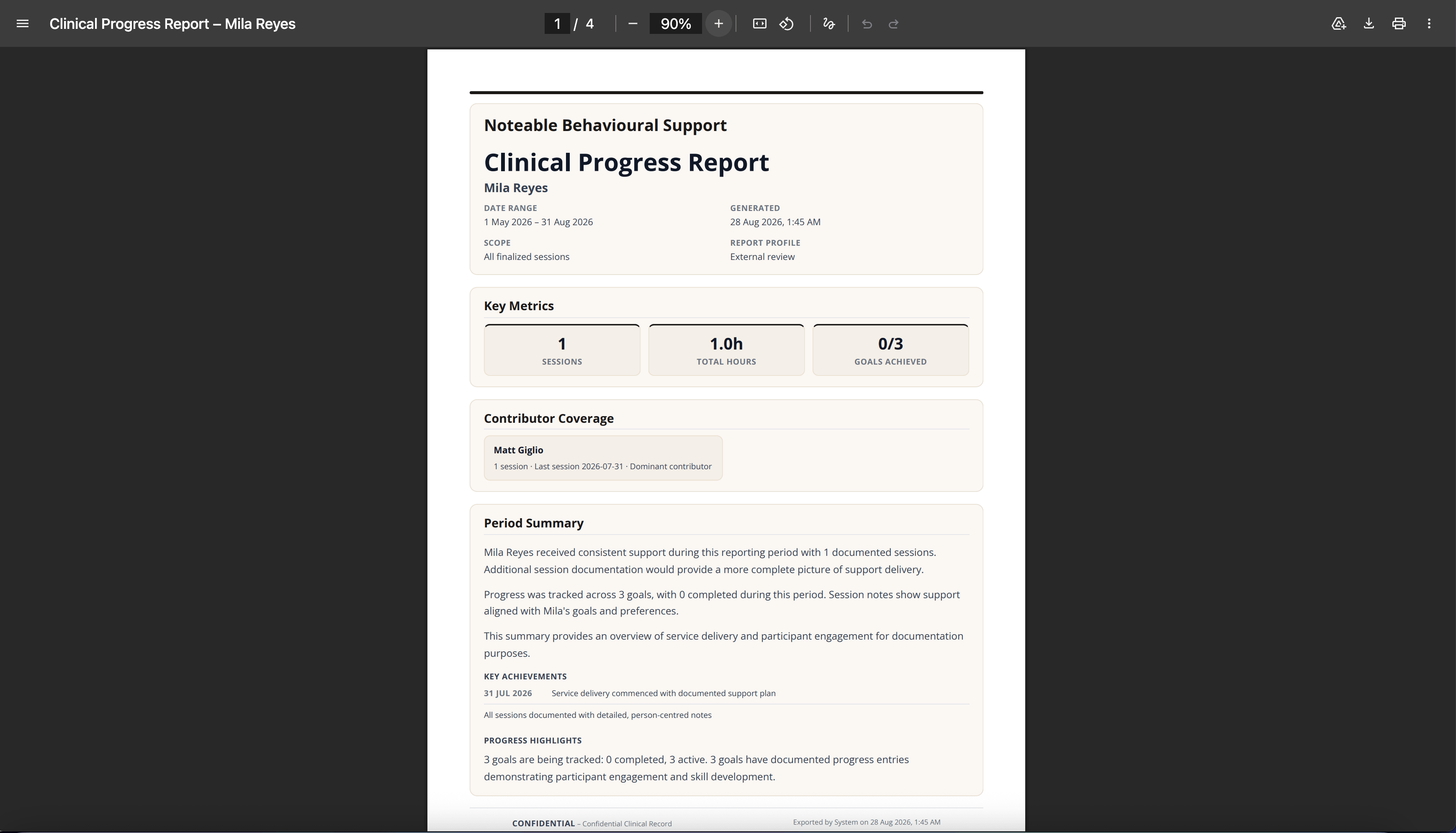
Keep the support delivered, participant progress and source trail together, and review it before sharing. Avoid reconstructing the record when a participant, auditor, or the NDIA asks.

See reports and evidence

Clinical progress report with summary, key achievements, period, and export

Calendar and session planning

Plan the session. Open the client context.

Plan one-off, weekly or fortnightly sessions in Noteable. See your own appointments, or coordinate the team’s sessions as a manager. Open an appointment to prepare from the client’s brief.

Connect selected Google or Outlook calendars, confirm the client links, and choose whether to share eligible appointments with authorised managers.

Calendar connections are read-only. Sessions planned in Noteable stay in Noteable. Private, all-day and unlinked external events stay out of the shared team view.

Explore team calendars
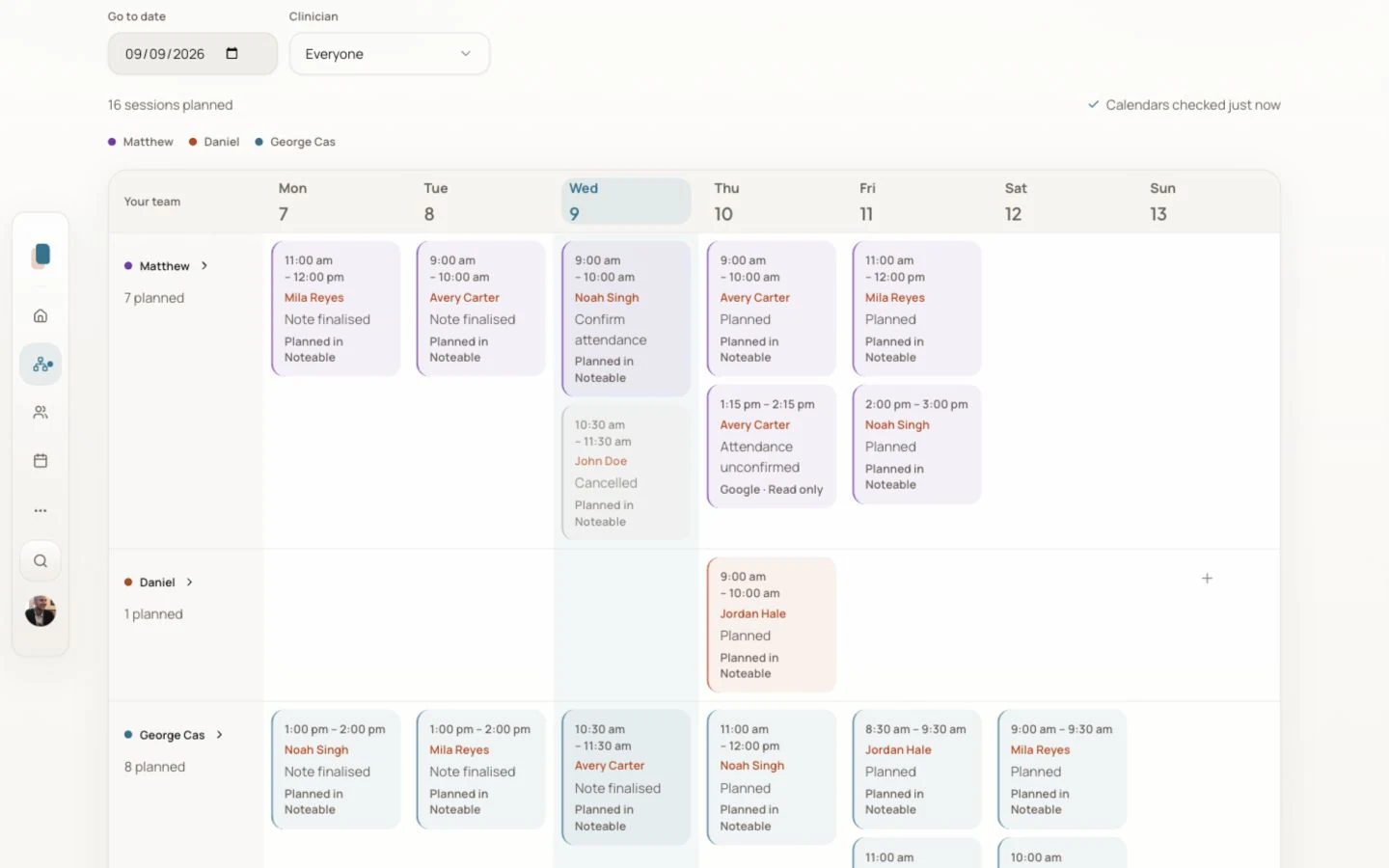
Noteable team calendar with fictional client appointments grouped by team member
Team calendar with fictional client appointments. Select the image to view full size.

Working as a team

Keep the next person prepared.

Bring colleagues, client briefs and follow-ups into the same workspace.

  1. Invite colleagues and assign clients.

    Set up your team with roles and client assignments. Client records and source notes follow their own access permissions.

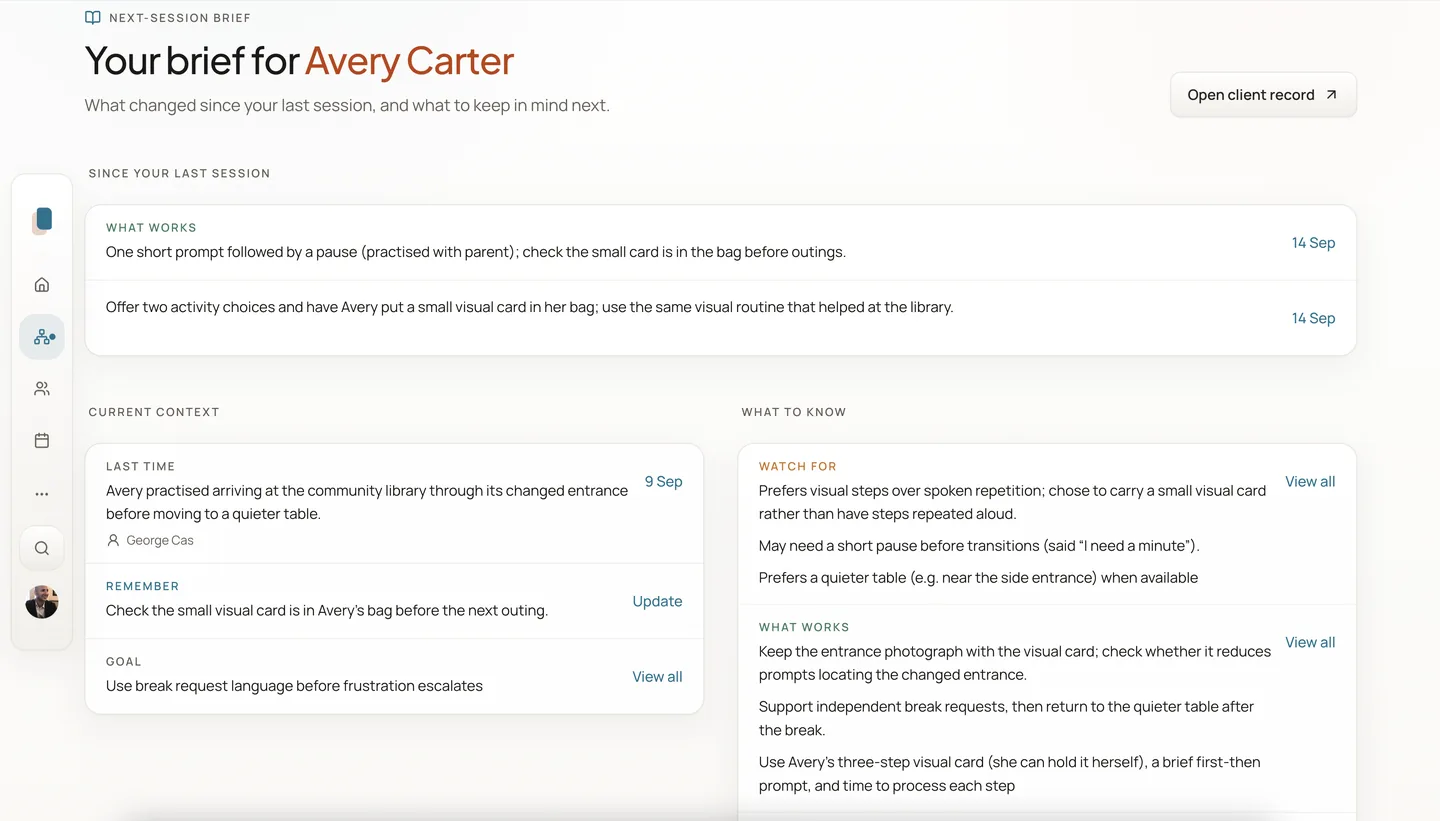
  2. Open a brief before the next session.

    See the latest finalised recap, confirmed client details and open follow-ups from records you can access, with linked source notes where permitted.

  3. Give follow-ups an owner.

    Review actions suggested from a finalised note. Confirm an eligible colleague and optional due date, or leave them unset, then track status. Confirmation creates the follow-up; finalising a note alone does not.
Explore Noteable for teams
Next-session brief for fictional client Avery, showing the last recap, confirmed details and follow-ups
Preparing for the next session: Avery’s brief, using a fictional client. Your team reviews notes and confirms details. Select the image to view full size.

Built for the work around the session.

  • Capture by voice or text
  • Review before anything is final
  • Plan sessions in Noteable; keep full rostering, invoicing, payroll and claiming in your existing tools

Ready to see it?

Start with one session.

Plan a session, review your first note and see what carries forward—on your own or with a small team.

Reviewed notesSession planningTeam working

14 days free. No card required. You review every note.