After the session
Jordan captures the recap.
Speak, type or paste what happened while it is still fresh.
Illustrative recap · 8 October“The picture list helped Avery choose two items at the shop. Next time, try a three-item list.”
For small NDIS and allied health teams
Each note your team finalises adds to the client’s record. The next colleague can open the brief, check what happened and prepare from the information they have access to.
14 days from your first generated draft. No card required.
Up to 5 trial members, including you.
The work changes hands
One client. Two colleagues.
Avery, Jordan and Casey are fictional. Follow the shopping-session example from Jordan’s recap to the information Casey can use before the next visit.
After the session
Speak, type or paste what happened while it is still fresh.
Illustrative recap · 8 October“The picture list helped Avery choose two items at the shop. Next time, try a three-item list.”
Before it becomes the record
Check the draft and its linked sources. Edit the details, finalise the note, then review what to keep in the client’s confirmed context.
For a follow-up, choose an eligible owner and confirm it. Mentioning a colleague does not assign the work.
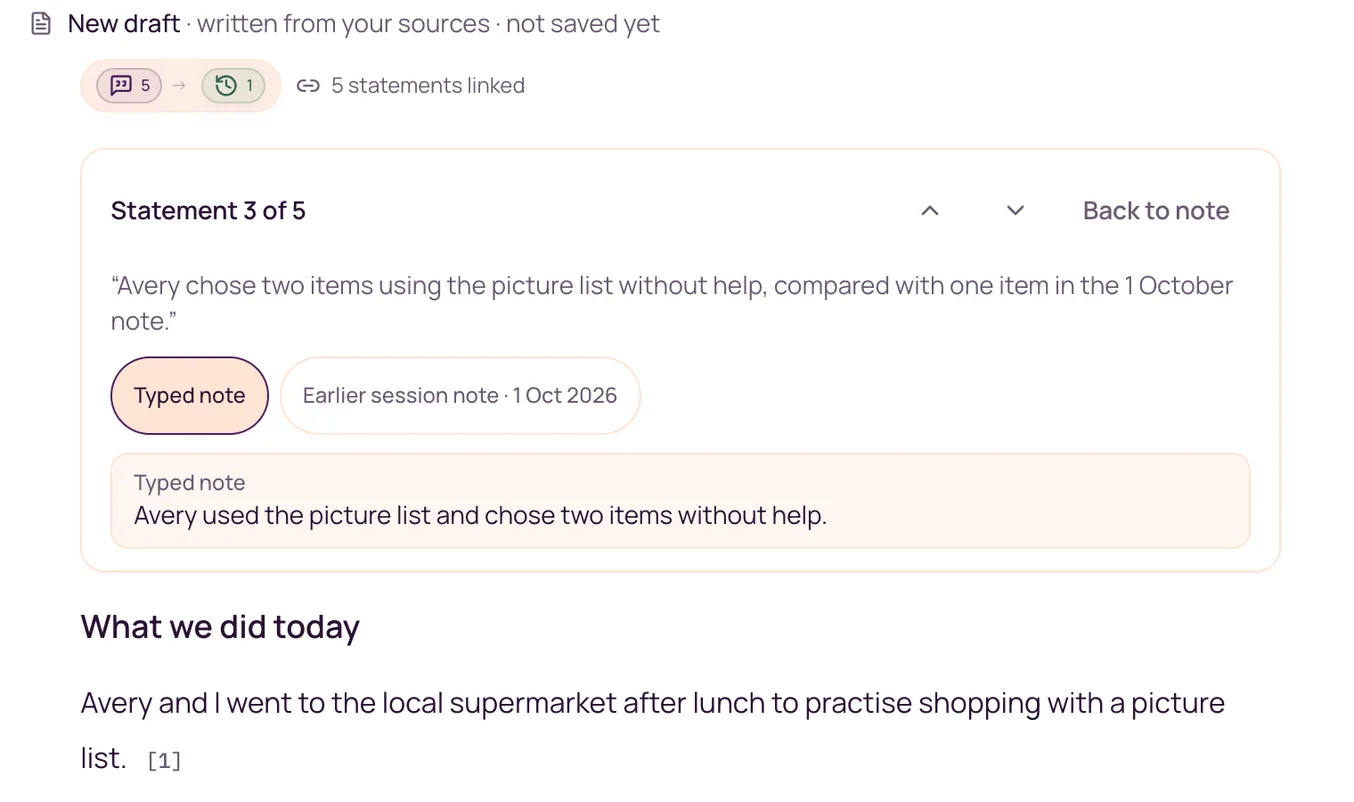
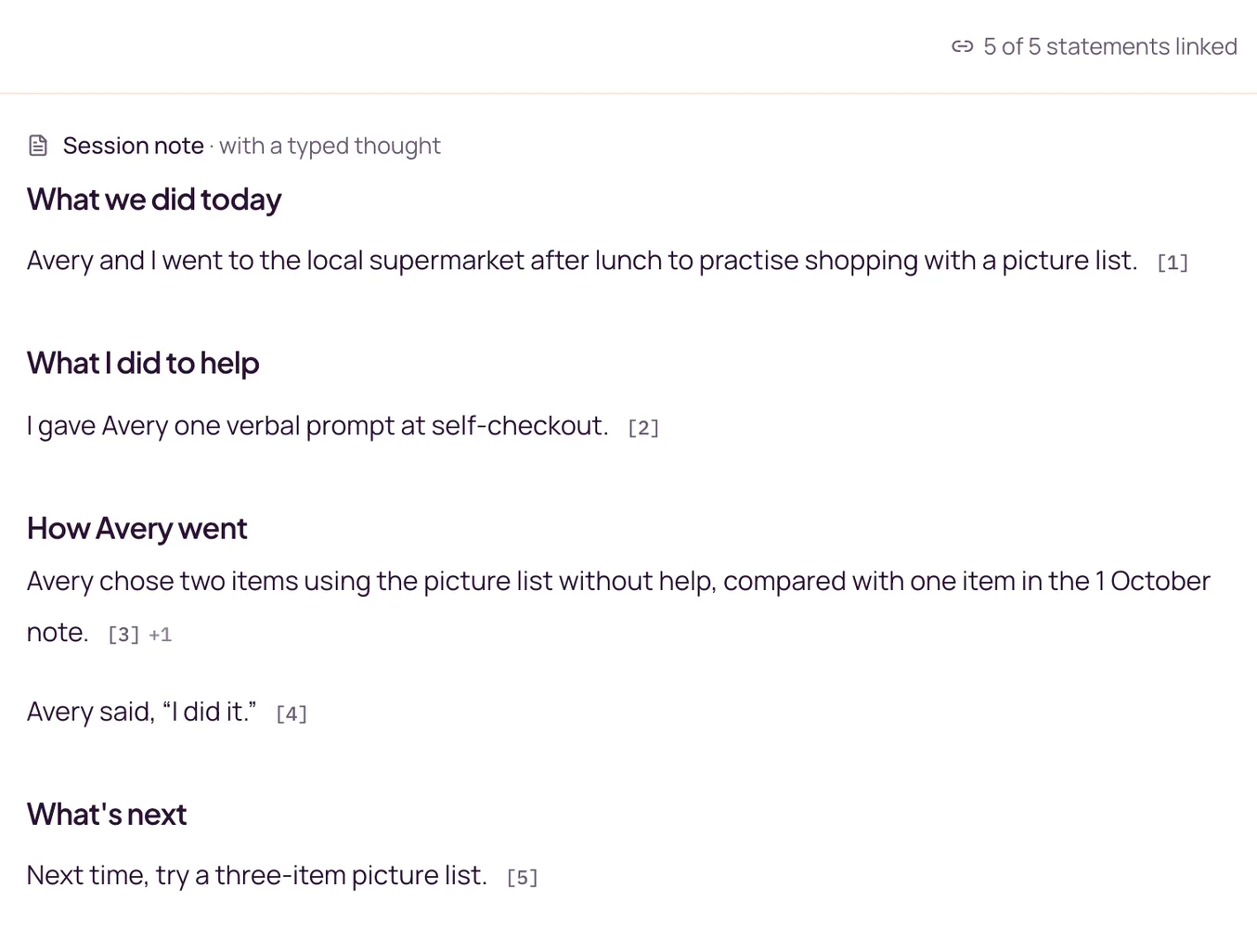
The same session after review and finalisation. Select the image for full size.
Before the next visit
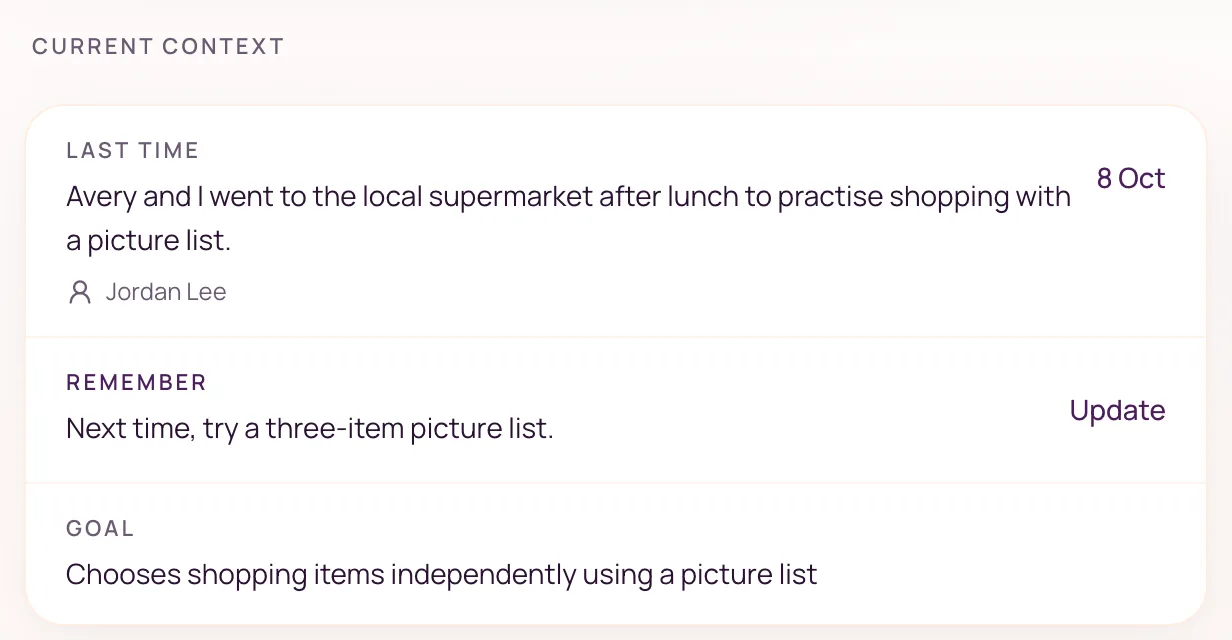
The brief assembles available finalised notes, confirmed details, goals and recorded follow-ups when opened. Casey checks the information and any gaps before the session.
Return to Avery’s current contextColleagues only see clients and records they have access to. A brief does not unlock every source note or replace a conversation when one is needed.
The team trial
A small way to see whether the record helps the next person prepare.
Capture a recap, review the draft and confirm the useful details.
Add up to four colleagues and give them access to the client.
Ask one colleague to open it before their next session with that client.
Check that the note records what happened. Ask your colleague whether the brief gives them enough context to prepare.
After your trial
A$29
per active user / month, including GST
A$58 for two · A$145 for five
One invoice, billed to the owner.
Up to 15 users on a paid plan.
14 days from your first generated draft.
No card required. Up to 5 trial members, including you.
After the trial, your workspace becomes read-only until the owner upgrades.
What happens to your notes
Give colleagues the access they need. Workspace roles, client assignments and note permissions determine what they can open.
Read our privacy policy
Free personal setup
“Tell me about your work and the headings you need. I’ll help you set up a note format, then walk you through your first note.”
One format, a first-note walkthrough and one adjustment if needed. Free for new accounts while Noteable is early. No payment or booked call required.
After signup, open Settings → Personal setup. Share up to 12 headings only—no client information or file uploads. Help adding clients is scoped separately; moving records is not included. Calendar connection is optional. You can choose “I’ll do it myself”. Existing agreed offers keep their terms.
Questions from team owners
Yes. Draft, review and finalise your first note on your own. Your 14-day trial starts from the first generated draft. Invite a colleague when you are ready. Follow your organisation’s requirements before adding client information or giving a colleague access.
Speak, type or paste a recap in Noteable. The draft is based on what you submit, ready for you to review.
It writes a draft. You check, edit and finalise every note, then review which suggested client details to confirm and which follow-ups to create.
No. Keep billing, payroll and claiming in your existing tools. Noteable supports session documentation, client context, reports and session planning. Client records do not sync with your practice software.
Access follows workspace roles, client access and note permissions. The brief does not grant access to every source note.
The workspace becomes read-only until the owner upgrades. Base is A$29 per active user per month including GST, with up to 15 users on a paid plan. See full pricing details.
Try it with one shared client
Review the note together. See what the next person can use.
Start your team’s free trial14 days from your first generated draft. No card required. Up to 5 trial members, including you.