What should already be on the client
- What happened last time
- What works well with this client
- Things to be mindful of
- Current goal
- Open actions, who owns them, and when they are due
NDIS handover software
The worker covering Friday has never met this client. A calendar entry and a 9pm text are not a handover.
14 days free. No card required. Invite up to 5 trial members.
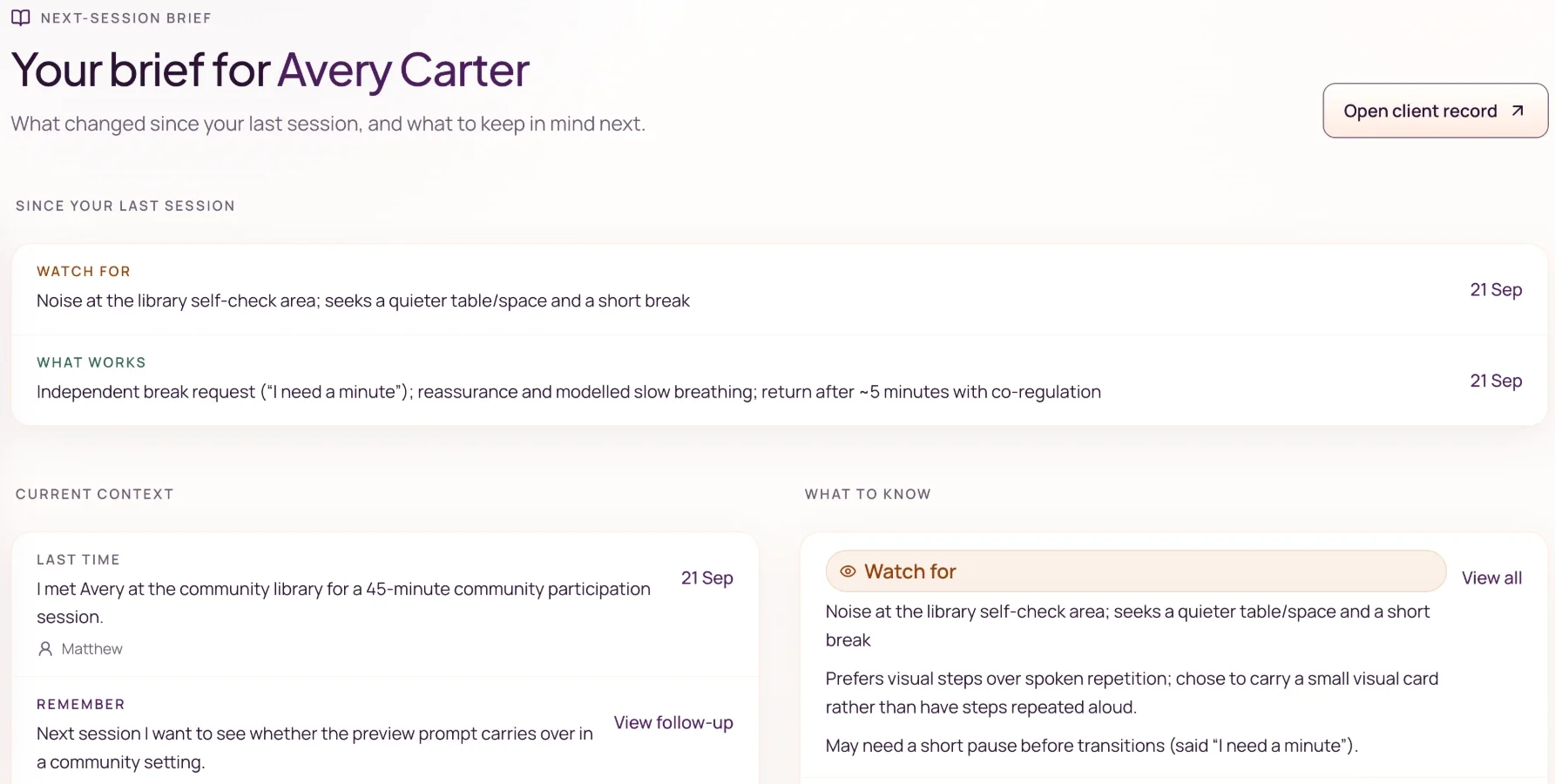
In the product
After session notes are finalised, Noteable builds a care team summary from them — key points and a briefing for the next visit. Friday’s worker reads that instead of reconstructing the story from old shift notes. Source sessions stay available to check.
FAQ
For small NDIS teams who need the covering worker to start from the client record, not a late text.
Software that keeps what the next worker needs on the client record — last session, what works, watch-outs, and open follow-ups — instead of leaving handover in a message or a conversation.
No. A template is a blank form. Noteable builds a care team summary from the session notes you already finalised. Friday’s worker is reading this client — not filling in a blank form, and not reconstructing from old shift notes.
Yes. They open the shared client record, then capture and review their own session. Context is shared. Authorship is still theirs. The product keeps who changed the record and when.
Noteable includes one-off and repeating session planning, plus selected Google and Outlook calendars connected read-only. Managers can see eligible shared client appointments. Keep payroll, billing and any broader workforce operations in your existing tools.
No. Noteable does not claim the law requires its handover format. Use the client record to keep reviewed notes and supporting context you can explain. Our recordkeeping guide links to the relevant official sources.
Still have questions? Email us at hello@noteable.com.au