Skip to content

Solo admin vs shared client record

Noteable vs Sparks Scribe

Choose Sparks to run the solo support-work business: notes plus invoicing in one app. Choose Noteable when the job is the session record, including a shared client record if another worker steps in.

Sparks Scribe is built for one independent worker, not agencies — shift notes and NDIS-coded invoicing in the same native app, with optional Vault and Safeguards. On 31 August 2026 Sparks published a page positioning itself as the answer for independent support workers in Australia. If that is the job — one person, notes and getting paid in one login — choose Sparks. Choose Noteable if the job is session documentation and a shared client record when another worker steps in, while invoicing and scheduling stay in tools you already use.

Choose Noteable if…

When Noteable is the better fit

  • Invoicing, calendar, or NDIS rates already live in Xero, a practice suite, or a plan-manager workflow — and you do not want the note tool to become a second admin app.
  • Another worker already sees this client, or will, and they should open the same record: last time, what works, follow-ups, and the goal.
  • You want a structured draft you review before it is final, with a history of who changed the session record.

Choose Sparks Scribe if…

When Sparks Scribe is the better fit

  • You are one independent support worker and want notes, invoices, calendar, and NDIS rates in one native app — not an agency workspace.
  • You want Vault extras: service agreements, document and receipt vaults, km log, tax summary, and Xero.
  • You want Safeguards: incident reports, risk profiles, consent forms, credentials, and a one-tap self-audit PDF pack.

Where the difference shows up

After the shift, two different kinds of “done”

The grocery-shop session with Sam is over. You still need a note. You still need to get paid. Next week, someone else might see Sam.

In Noteable

You recap, review the structured draft, and finalise. The invoice is raised in the tool you already use. Next week you — or another worker — still see the spreadsheet follow-up on Sam. That is “done” if the record has to survive a second pair of hands.

With Sparks Scribe

You type or speak the shift note in Sparks, and the public product creates the NDIS-coded invoice from the shift. That is “done” if running one worker’s business in one app is the job. Sparks’ public pages describe client profiles, documents, and shift records. Persistent last-time / what-works memory as Noteable uses it remains Not verified on pages checked 3 September 2026.

At a glance

Decision-relevant differences

Horizontal comparison table. Focus this region, then use arrow keys or scroll to see every column.

Where Noteable and Sparks Scribe differ
AreaNoteableSparks Scribe
Designed to doSession documentation and a shared client record beside existing admin.Run one independent worker’s admin: notes plus invoicing, rates, and optional Safeguards.
Who it is forSole traders and small providers. Solo today; a second worker later on a per-user model, self-serve up to 15.One independent support worker. Not agencies. No per-user fee on the public pricing page.
When another worker steps inSame client record: last time, what works, follow-ups, goals. They write their own note.Built for one worker. Public pages do not describe a shared team record as Noteable uses it. Persistent client memory: Not verified (3 September 2026).
Invoicing, rostering, claimingNot the job. Keep them in the tools you already use.Core product. Shift note can become an NDIS-coded invoice. Vault adds agreements, vaults, km log, tax summary, and Xero.
NotesVoice or typed capture into a structured draft. Human review before final.Typed or spoken AI-assisted shift notes, templates, and PDF exports, per public pages.
Public price (3 September 2026)A$29 per active user per month. 14-day trial from first draft, no card.A$15 Essentials / A$20 Vault / A$39 Safeguards per month, including GST, on sparkscribe.app/pricing. 14-day trial, no card.
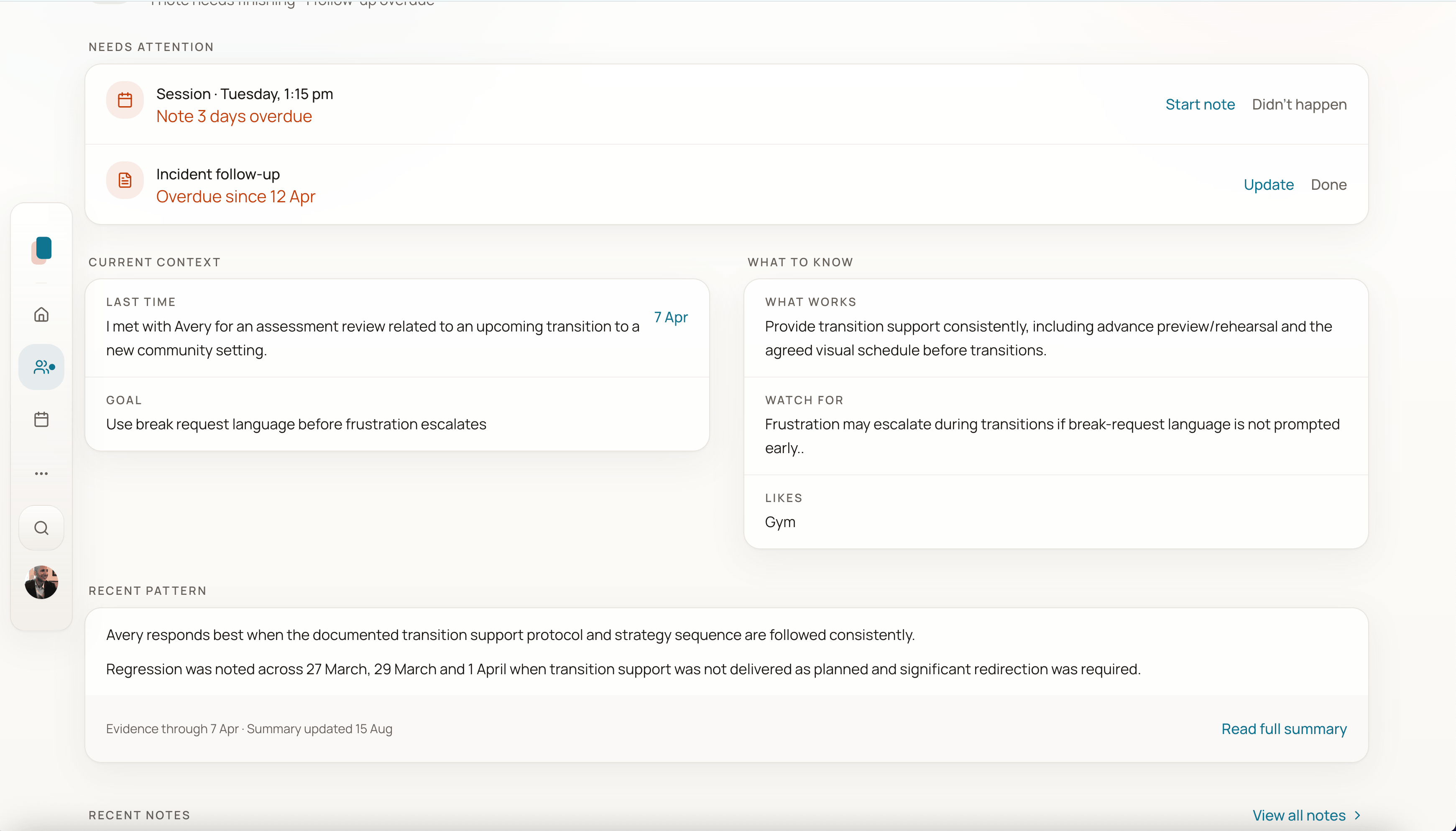
Client home with current context, what to know, and recent pattern before the next session.
Next session starts from this client’s context, not a blank page.

In the product

The second worker is the test — not the invoice

If the shift is already billed in Xero or a plan-manager workflow, Noteable’s job is the recap, the draft you review, and what Sam’s next worker needs to see. That is the client record, not a second admin app.

Next step

If invoicing already lives elsewhere, the second worker is the test

Capture a session, review the draft, and see whether the next person who opens this client still starts from context.